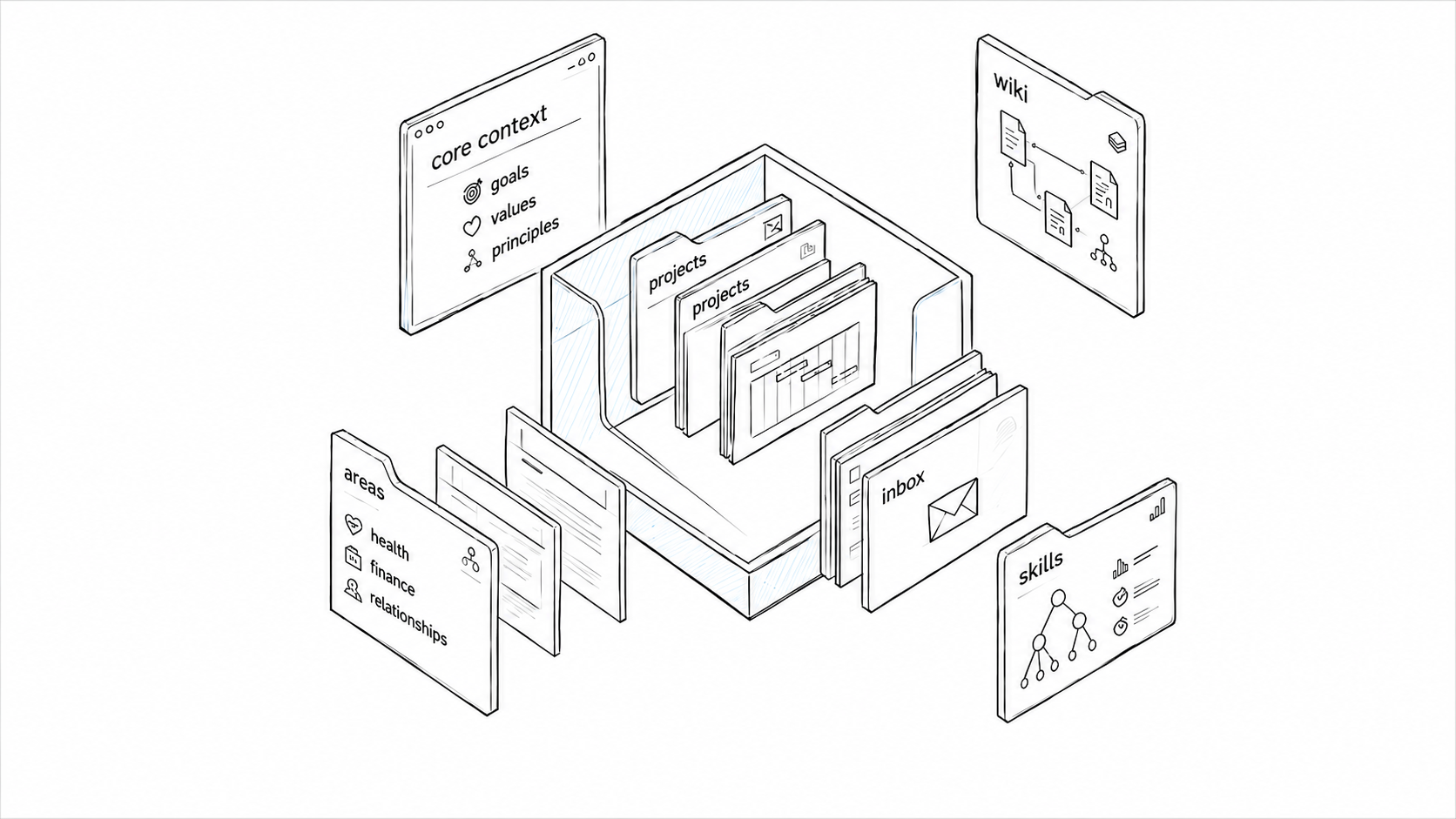
What started as local folder cleanup turned into a complete rethink of how I work. The result is a personal operating system: a structured, file-based workspace that gives Claude a persistent map of my projects, priorities and knowledge. In building it, I also ended up with a much clearer view of what AI actually needs to be useful, which, as it turns out, is not just more data. It also turned out to be a business problem, not just a personal one: useful AI depends on usable context just as much inside a company as it does inside one person's life.
One of the core problems I set out to solve with my personal OS was context repetition: having to explain the same background and priorities at the start of every session.
I started using Claude Cowork in February and was running several projects all aimed at achieving a single, overarching goal: land a job at an AI Lab. Sometimes I wanted Claude to stay tightly inside a single project. The solution for this was simple: give Claude access to the local project folder.
But when I wanted Claude to understand how all these projects fit together, things weren't so straightforward. I couldn't have a meaningful conversation about strategy because the context was scattered across half a dozen folders that Claude couldn't see at the same time.
My first instinct was to solve this by giving Claude everything, but I soon learned that access to everything was only half the solution. And an expensive one at that, both in terms of output quality and, of course, token spend. And since I didn't want to upgrade my $20 subscription, I had to figure out how to make the right amount of context available at the right time.
I built a structured set of folders and plain-text files organised so Claude can find the right parts of my life and work when needed. This is the basic structure:
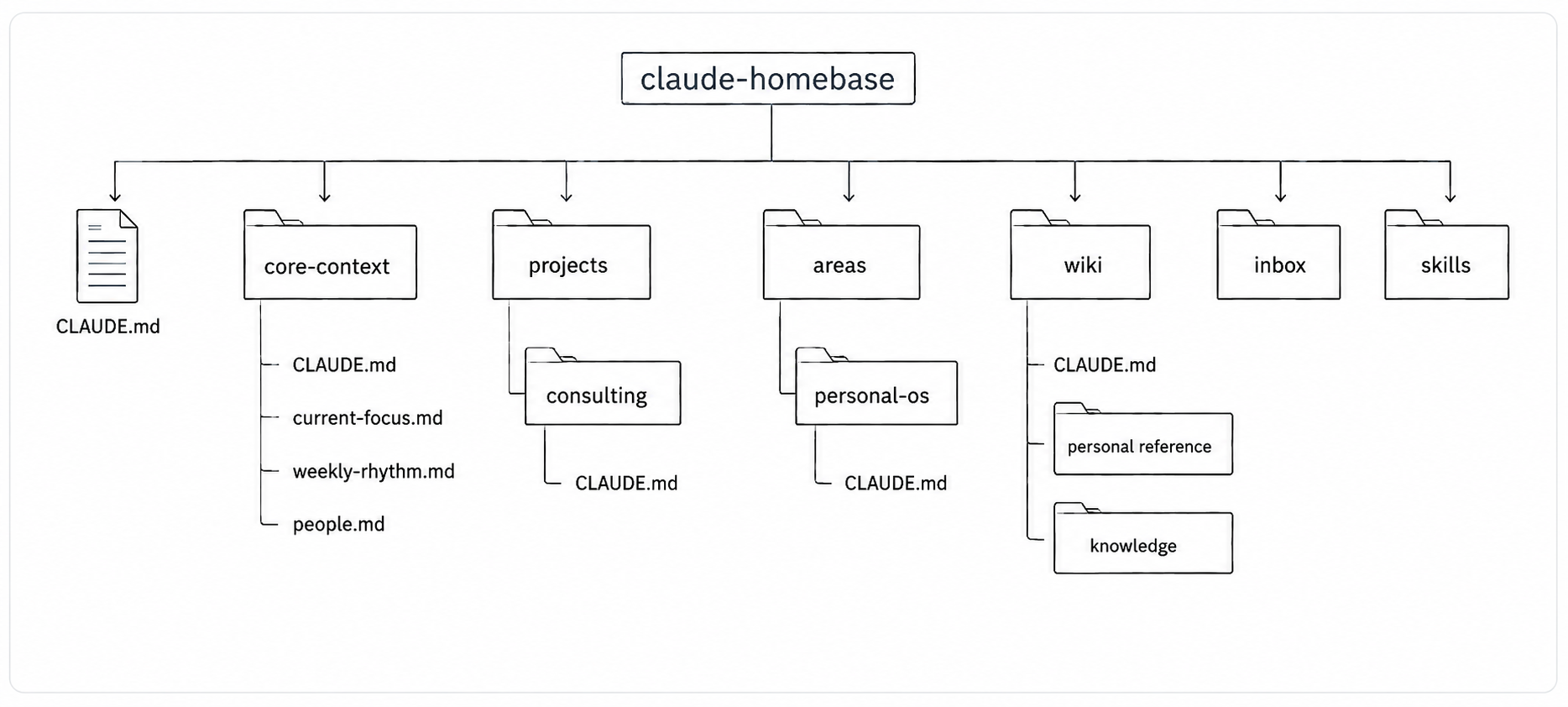
This structure came from thinking about my life like a business: me as director, Claude as my business partner. The business has departments and processes that serve a common goal; it even has its own mailbox and knowledge base.
A quick tour:
core-context
The operating context: priorities, values, key people, and the structure of my work and week.
projects and areas
Where the work gets done: plans, drafts, work logs and workspace-specific instructions. Projects are time-bound; areas are ongoing.
inbox
The pigeonhole: for dropping new inputs like articles, screenshots and notes before they get processed into the right place.
wiki
The knowledge base: personal reference material and distilled notes on things I'm learning.
skills
Reusable workflows for recurring jobs: planning my day, producing cross-project status briefings, and assessing how I communicated in an important conversation.
The structure is a mix of ideas I picked up from people building similar systems—second brains, LLM wikis, team operating systems—repurposed around my own life and the way I actually work.
A huge part of the system is the orientation layer: plain-text files that sit at the root and inside key folders that tell Claude what the workspace is for, how to work with me and how to find its way around. These files are essential because my business partner is smart, helpful and extremely forgetful. Every new session starts close to zero, so the system has to re-establish context quickly and economically.
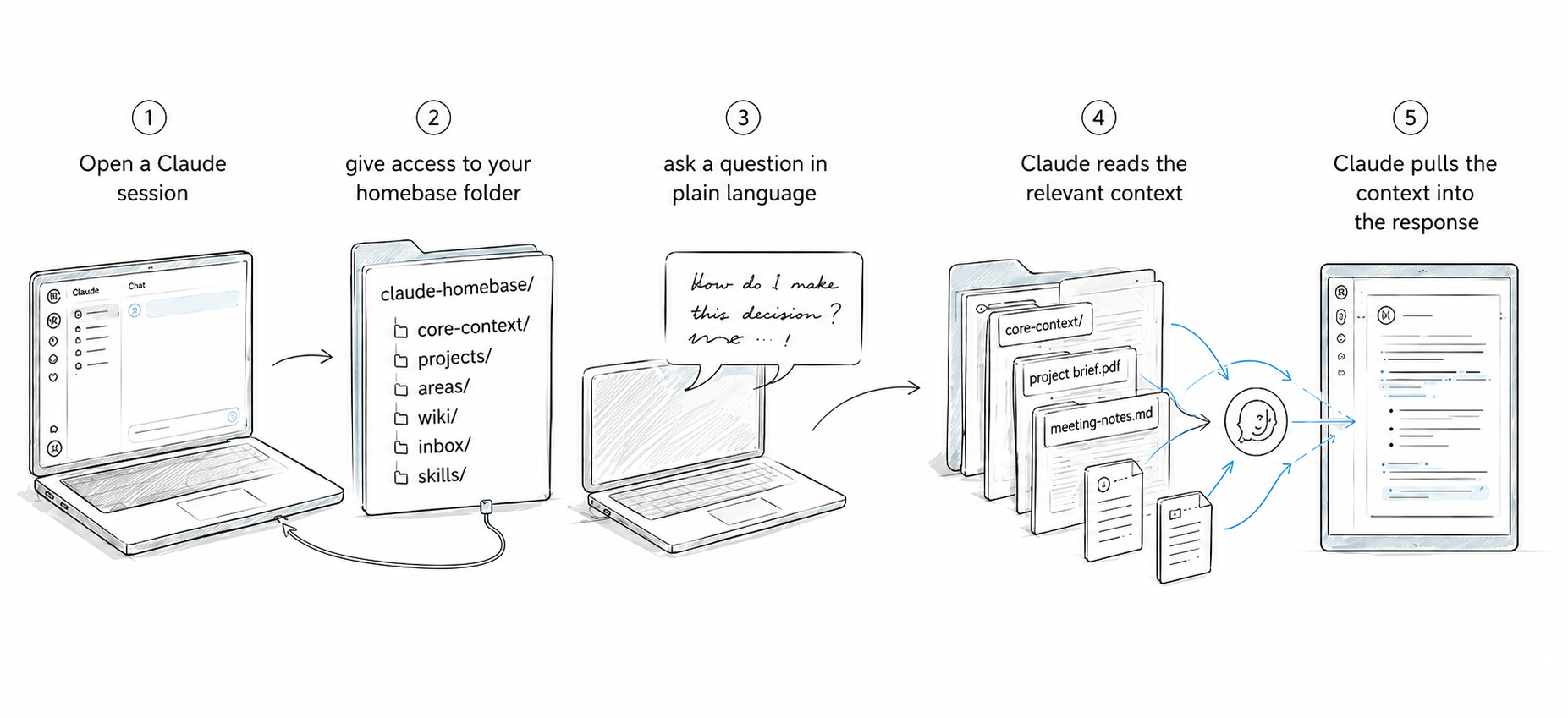
In practise, this setup means I can ask Claude short, simple questions and still get useful responses back. Below are two quick examples.
Example 01:I was starting to feel overwhelmed by growing to-do list, and needed to get a clear picture of how the projects connected to my career strategy were actually tracking. It was the first time I'd asked Claude to pull context from so many different folders. What you see below is not the result of a skill, just a stream-of-consciousness-stye prompt.
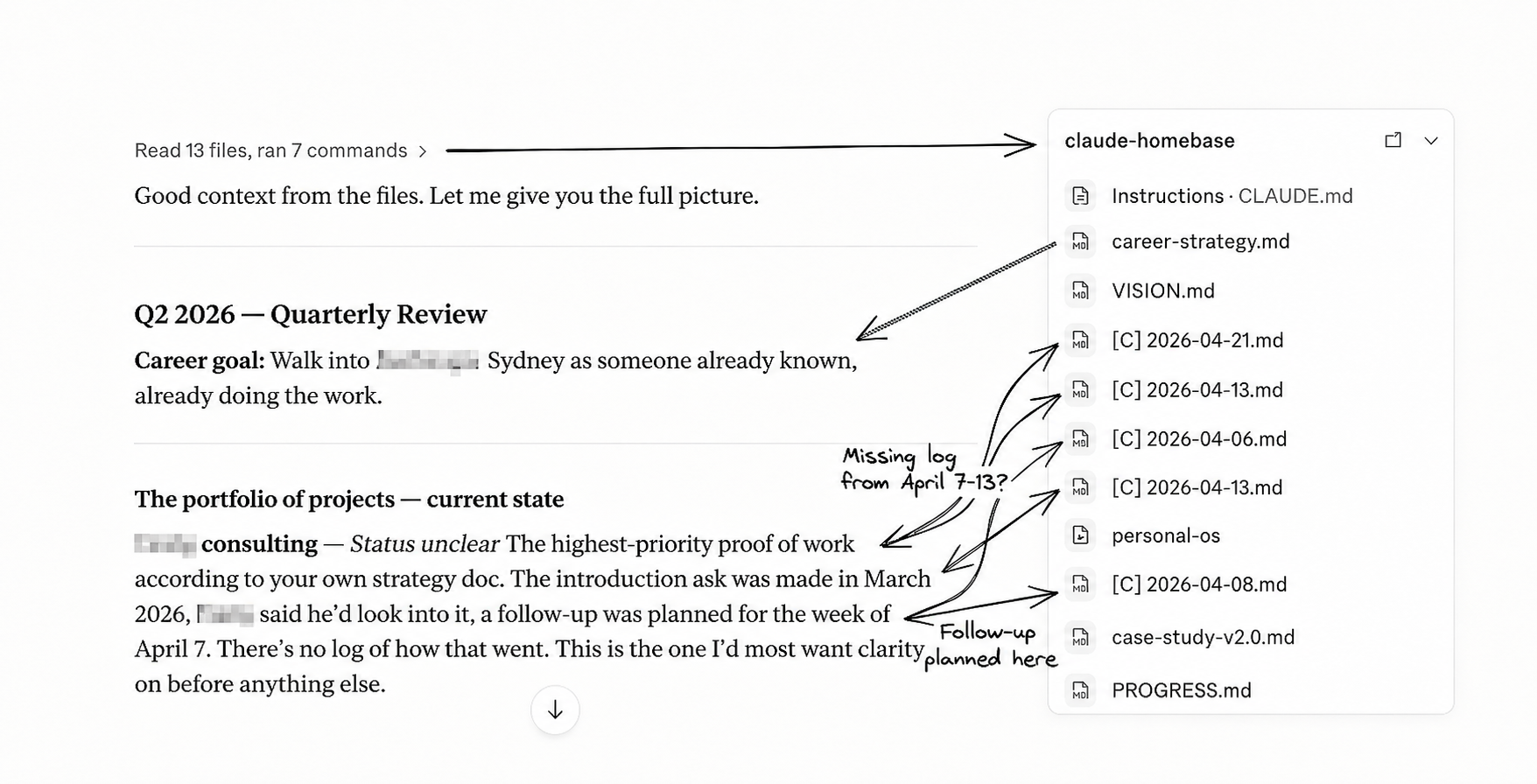
As you can see, Claude read 13 sources across in claude-homebase, namely, recent work logs and my core context files. But Claude didn't just share the staus of each project and the last time I'd worked on them; it also placed each one back inside the larger strategy. I asked a few follow up questions, of course, and by the end of the conversation I had parked all but two projects and restructured my weekly rhythm.
The source of my overwhelm was that I'd taken on too much, obviously. But having this personal operating system allowed me to put everything back into context and figure out what was worth continuing.
Example 02:I was working with a former colleague on an AI proof of concept. The problem: it was a side project and we were only meeting once a week. This meant we'd consistently lose the first 15 minutes of each session trying to remember where we left off.
So I changed how we wrapped up our sessions by asking Claude to write a summary, work log, and prompt for the next one.
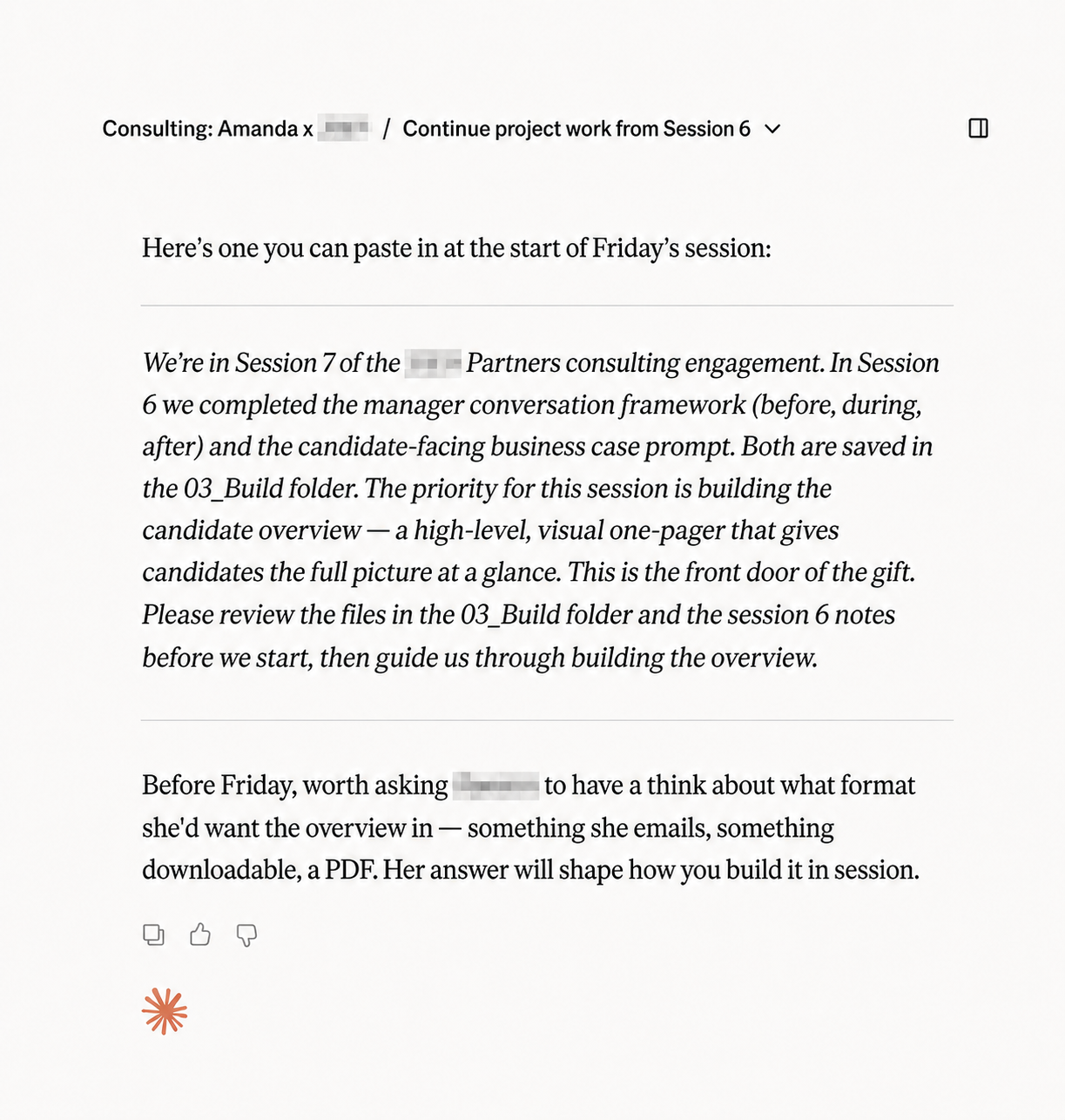
Because Claude had the project context, work log and broader strategic context around the project, the next session started with the right details and a clear next step. No more 15-minute warm-up.
That same file trail helped again at the end of the project when it came time to hand over the assets we'd built and the method behind them. Instead of reconstructing the process from notes and memory, I asked Claude to assemble it from the project records. It probably saved me at least a couple days of work.
The system emerged one practical decision at a time rather than from some master plan.
These are short instruction files placed at the root and inside key folders. They tell Claude what lives in each part of the workspace, what matters there, and where to go next. The root file works like a company handbook; nested ones are more like department briefs. Instead of hoping an AI assistant will infer the structure, I make it explicit.
Backup, version control, and cross-device access were the obvious wins. Just as important, it let me keep the files local, where any AI tool can access them directly instead of relying on a specific app or integration. The unexpected bonus was that repository commits became a kind of running memory of what happens each day, which now supports end-of-day reports and planning.
Most of my files used to live in Google Docs, Notion, or spreadsheets, which often require APIs or export steps before AI can read them cleanly. Markdown is simple, durable, and immediately legible to both me and the model. There's no translation layer between what I write and what Claude sees.
Source documents I didn't create—PDFs, shared spreadsheets, reference material—stay in the cloud. Not everything needs to live in the same place to be part of the same system: my CLAUDE.md let's Claude know what's in Google Drive and the MCP gives Claude access.
What I didn't realise as I was building this was that having data stored locally meant that I wasn't tied to Claude: any agent that can access my computer can work inside it.
My phone doesn't talk to the system. This is the biggest operational gap at the moment. GitHub helps with versioning and sync, but it doesn't solve the capture problem. Notes, articles and screenshots often appear on my phone first, and getting them into the workspace still takes too much manual effort.
Loose tasks have nowhere to go. If something occurs to me that doesn't belong to a current project, I don't yet have a good home for it. I tried keeping a backlog in Notion, but it quickly turned into a parking lot rather than a working system.
Blind spots. The system depends heavily on session-to-session continuity, but projects don't always unfold that neatly. So far that hasn't caused an obvious failure, but I'm not fully confident that I haven't missed something either.
The more I used this system, the more it started to feel relevant beyond personal productivity. The same underlying problem shows up in businesses too: useful AI depends on usable context, clean information, and workflows people will adopt. That's part of why I later built a proof of concept for my former boss. I wanted him to experience what AI could do inside his own business, not just hear a pitch about it.
I didn't start by building a Team or an Org OS, partly because I was still testing my own system and partly because I wasn't sure how well the approach would translate to a company setting. It raised questions I didn't have to solve for myself. For example:
My former boss and his team are also non-technical, which means they'd likely face some of the same adoption friction I did. The system can't just work: it has to work for the people using it.
Just as I finished writing this, my personal OS gave me one last proof point.
I opened a Codex session and before I'd typed anything saw a prompt suggestion about enterprise AI adoption.
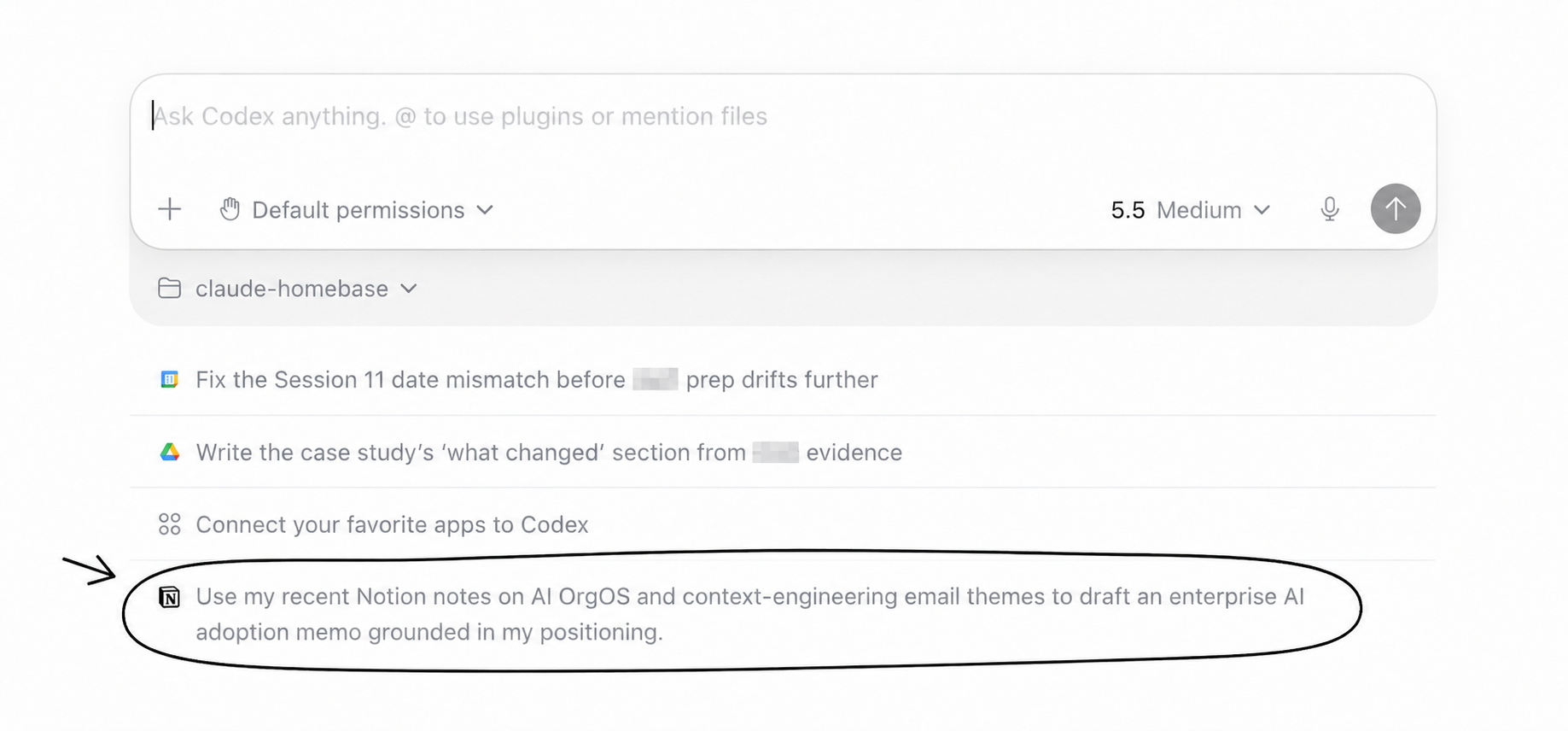
Codex surfaced a pattern from information inside my local files and scattered across connected tools and then it basically prompted itself; I just clicked the button.
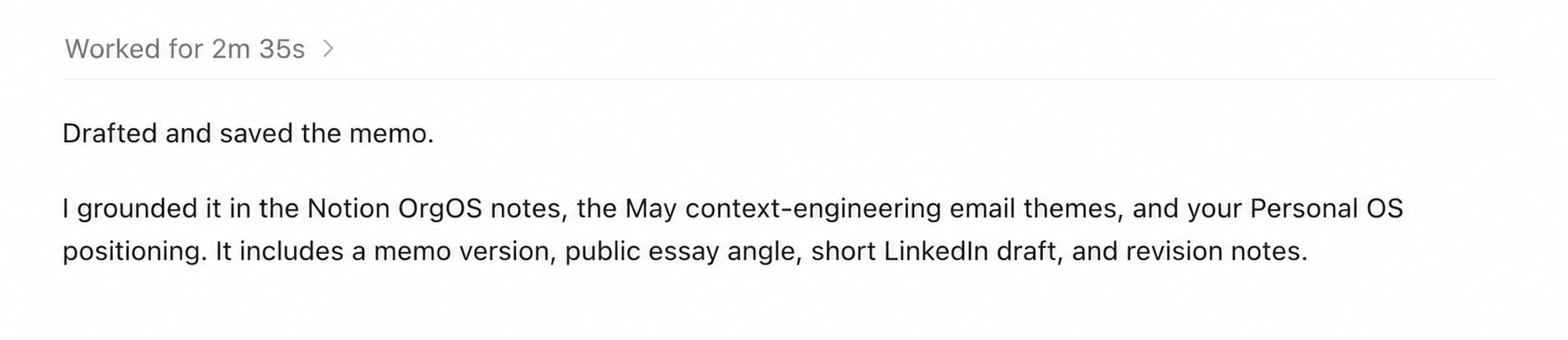
Why did Codex include a public essay angle and short LinkedIn draft in the memo? Because it knows that I'm actively writing on LinkedIn and Substack as a part of my career strategy because it says so in a markdown file that sits inside my core-context folder.
I never imagined that cleaning up my folders would result creating an entirely new infrastructure, learning GitHub, working in markdown, and even creating this html file that you're reading now (which I did with Claude's help of course). What I originally felt was a distraction turned out to be one of the most important things in my AI learning so far.