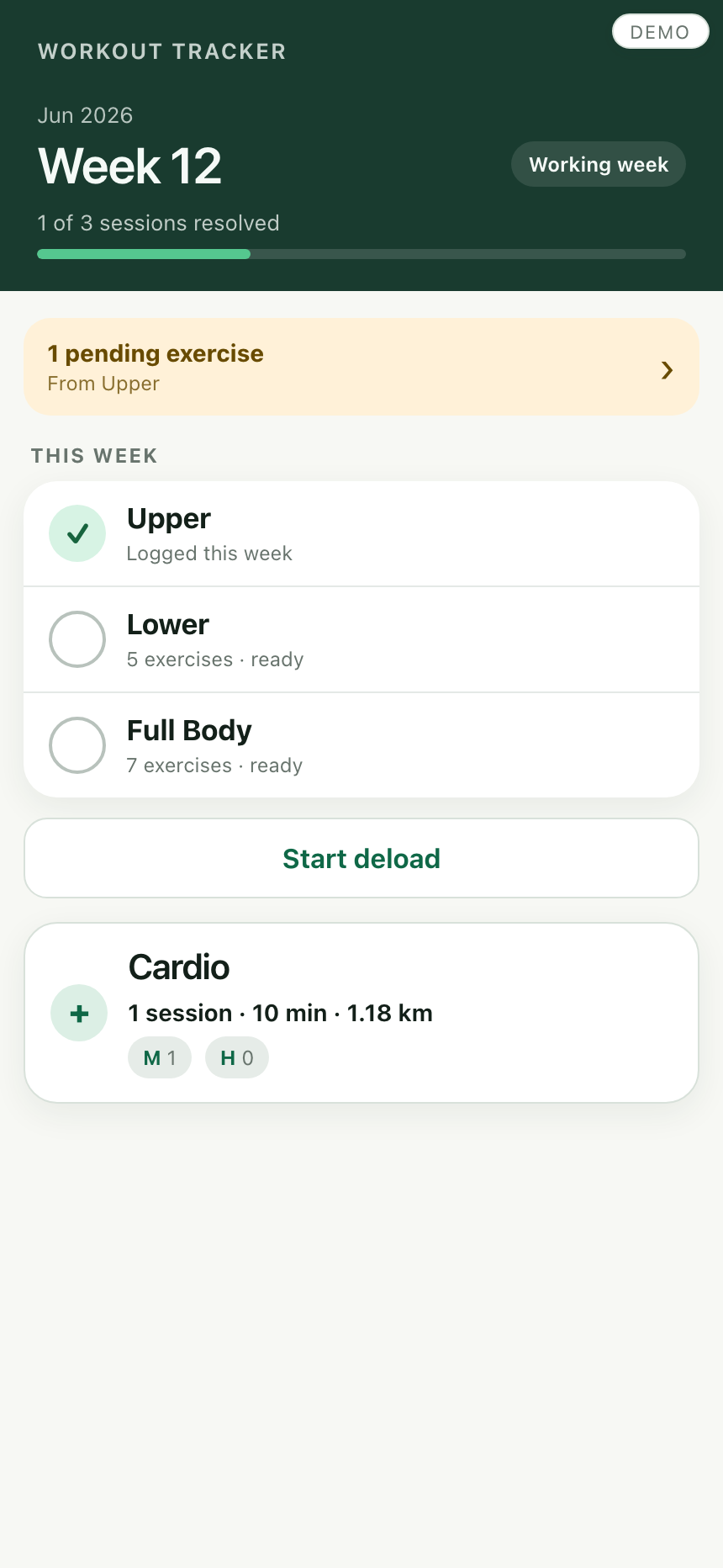
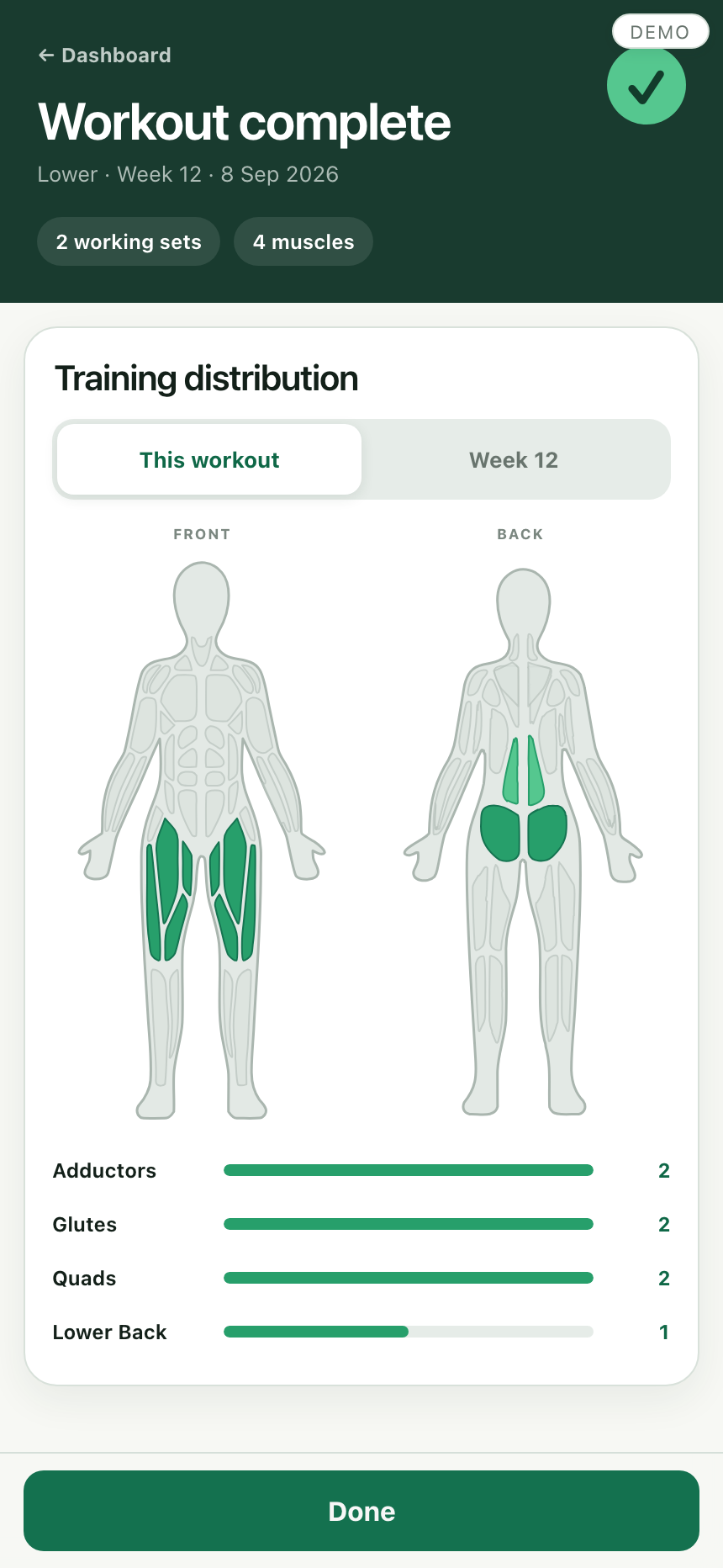
A private strength-training tracker that began as a spreadsheet and became a mobile web app after a single prompt.
I was getting sick of paying for so many subscriptions, especially for apps that were useful without being conceptually very complicated. I had been subscribed to a workout tracker that was, admittedly, the best one I had used from a UX perspective in 14 years of training. But its core features were still pretty straightforward: program building, exercise logging, tracking sets per muscle group, and exercise guidance. I liked the product, but I did not think the underlying functionality was beyond what I could build for myself with the help of AI.
My own tracker already lived in Google Sheets and supported the way I actually train: planned sessions, substitutions, skipped work, previous performance, mesocycle progression, and enough structure to review patterns over time. Before building the web app, I had already upgraded the Sheet with Apps Script, which let me add useful automations and custom logic.
That version worked, but Sheets was starting to become the constraint. Sometimes the checkbox on the logging tab would fail to actually log a workout. If I zoomed in too far on mobile, cells could go blank. More generally, using the spreadsheet directly during a workout was still too fiddly for something I wanted to feel fast and reliable.
The obvious next step was a web interface. I had never really one-shot prompted anything of this scale before, but I was relatively optimistic because I was not starting with a vague idea. I already had substantial project documentation, a defined process, an existing data model and logic, and a good sense of how I wanted the product to look. If I stripped the build back to the core user flow, it felt like a good test of how far AI could get in one pass.
So I gave Codex a lightweight MVP brief, my existing workout tracker files, a UI screenshot from the workout app I liked, and one prompt. I sent it off, went to sleep, and woke up to a working app.
The production system is a private Google Sheet with Apps Script logic and a mobile-first web interface. The Sheet remains the database and review surface; the web app handles the workout flow, draft state, validation, completion, and recovery paths.
It was relatively easy to get a usable first version because the logic was not starting from zero. The spreadsheet tabs already held the important structure: programs, sessions, exercise history, volume targets, mesocycles, and logged performance. Codex mostly had to read that existing system and wrap it in a phone-friendly interface.
The first pass did not look exactly like the current version, and it did not have the anatomical training-distribution image yet. But it was close enough that I spent about 10 minutes fixing mobile bugs and used it that same morning to track my first workout through the app.
The paid app still has a much nicer UI and is faster and more polished. That is not really the point of this project. I wanted to see whether I could reproduce the parts of the product I actually valued, adapt them to the way I train, and avoid paying for functionality I could increasingly create myself with AI.
The shareable demo is generated separately as one standalone HTML file. It inlines the app shell, styles, shared workout engines and a mock backend, so people can try the interaction without touching the live Google Sheet or Apps Script deployment.
The demo intentionally includes realistic workout metrics. That makes testing more useful: the interface has to handle real session names, previous-performance values, substitutions, skipped work, and completion flows rather than toy examples.
The completed-workout screen uses an anatomical SVG rather than a static image. Each muscle region is addressable by name, so the app can highlight the muscles worked in a completed session and compare that workout with the rest of the week.
The interactive version below is not part of the app itself. I created it as a review tool to test the mapping Codex had done between the spreadsheet's muscle groups and the individual SVG paths before connecting the body map to workout data.
Open full-screen SVG reviewPersonal OS was mostly an information architecture problem: how to make context durable enough for AI collaboration. Workout Tracker was a product and workflow problem: how to make a private, real-data system usable in the moment, on a phone, while preserving the reliability of the underlying Sheet.